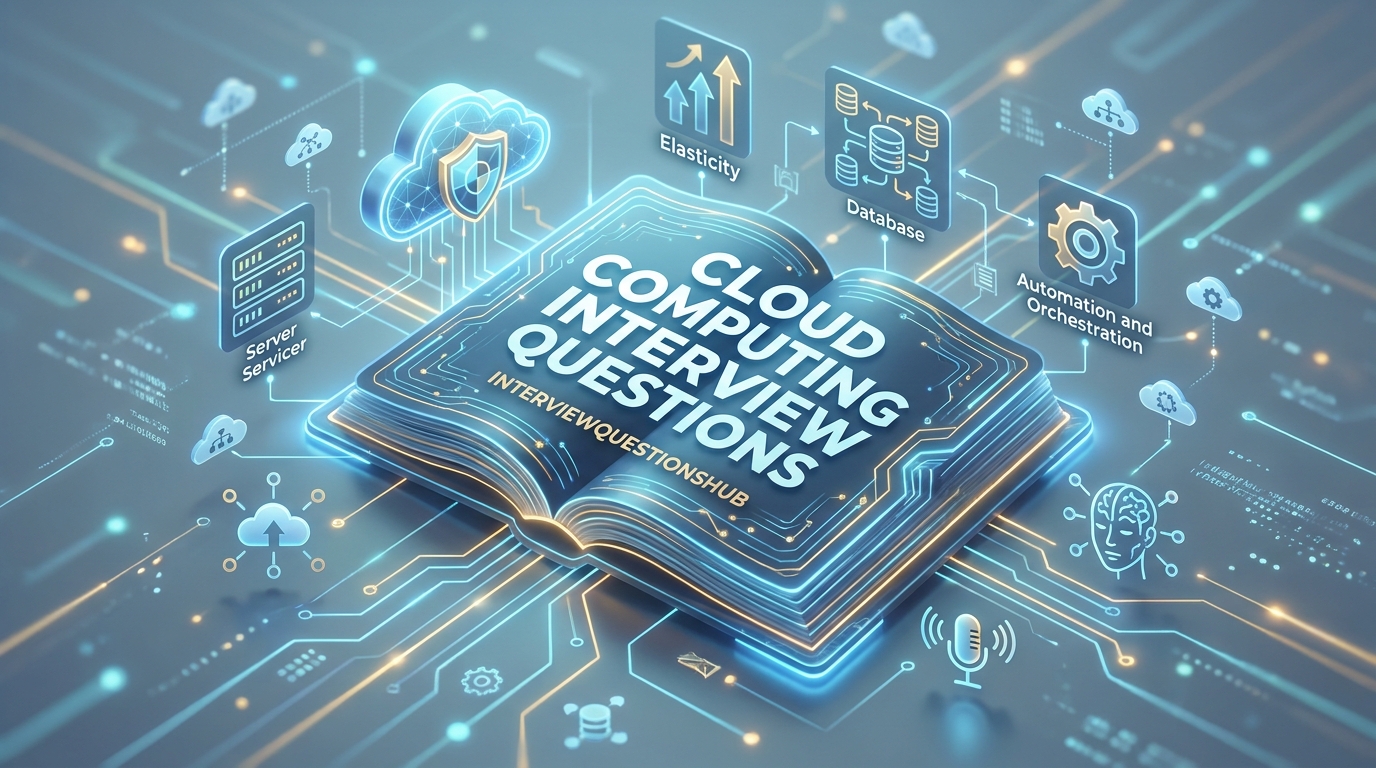
Scaling the Summit: Navigating the Cloud Interview
Imagine you’re at the final stage for a DevOps role at a major streaming giant. The interviewer leans forward and asks, “If our user base spikes by 500% in ten minutes, how do we ensure the database doesn’t just melt while keeping costs optimized?” If your mind goes blank, you aren’t alone. In the tech world, having a certification is one thing, but explaining the architectural “why” under pressure is a different beast entirely. Whether you’re a fresher trying to grasp the basics of SaaS or an experienced architect managing multi-cloud environments, the interview is where you prove you can build resilient, cost-effective systems.
This guide is for those who want to sound like a seasoned engineer, not a textbook. We’ve gathered the most impactful cloud computing interview questions and answers that reflect the infrastructure challenges of 2026. You’ll learn how to break down complex cloud models, defend your security choices, and prove that you can drive measurable ROI for any organization.
Quick Answer
To excel in a Cloud Computing interview, you must demonstrate a deep understanding of service models (IaaS, PaaS, SaaS), deployment strategies, and the Shared Responsibility Model. Success hinges on your ability to explain scalability, high availability, and cost-optimization across platforms like AWS, Azure, or GCP.
Top 5 Cloud Computing Interview Questions
- What is the difference between Scalability and Elasticity?
- Can you explain the “Shared Responsibility Model” in cloud security?
- What are the different types of cloud deployment models?
- How does a Microservices architecture benefit from the cloud?
- What is “Serverless” computing and what are its pros and cons?
QUICK OVERVIEW TABLE
| Topic | No. of Questions | Difficulty Level | Best For |
| Cloud Fundamentals | 5 | 🟢 Beginner | Freshers |
| Architecture & Security | 5 | 🟡 Intermediate | All Levels |
| Serverless & Devops | 5 | 🟡 Intermediate | Experienced |
| Multi-Cloud & Hybrid | 5 | 🔴 Advanced | Senior Architects |
MAIN Q&A SECTION
1. What is the fundamental difference between Scalability and Elasticity?
🟢 Beginner
In my experience, a lot of candidates miss this distinction, but it’s actually really important. Scalability is the ability of a system to handle increased load by adding resources—either vertically (bigger servers) or horizontally (more servers). Elasticity is a step beyond; it’s the ability of the system to automatically scale in or out based on real-time demand. Think of it this way: a rubber band is elastic because it stretches when pulled and shrinks back when released. In the cloud, elasticity is what saves you money because you’re only paying for the extra capacity when you actually need it.
2. Can you explain the Shared Responsibility Model?
🟡 Intermediate
Honestly, this one trips people up during security rounds. The Shared Responsibility Model defines who is responsible for what in the cloud. The Cloud Provider (like AWS or Azure) is responsible for the security of the cloud—that’s the physical data centers, the hardware, and the virtualization layer. You, the customer, are responsible for security in the cloud. This includes your data, your encryption settings, your firewall configurations, and your user access management. If someone leaves an S3 bucket open to the public, that’s on the user, not the provider.
3. What is the difference between IaaS, PaaS, and SaaS?
🟢 Beginner
I always tell my junior colleagues to think of this as “levels of management.” IaaS (Infrastructure as a Service) is like renting a plot of land; you get the raw servers and storage, but you manage the OS and apps. PaaS (Platform as a Service) is like renting a pre-built kitchen; the provider gives you the tools and platform, so you just focus on the “cooking” (coding). SaaS (Software as a Service) is like buying a finished meal; you just use the software over the internet (like Gmail or Salesforce). The further you go toward SaaS, the less maintenance you do.
4. How do you handle “Cloud Sprawl” in a large organization?
🔴 Advanced
Cloud sprawl happens when an organization has too many cloud instances or services running without proper oversight, leading to massive, unexpected bills. To fix this, you need strong governance. Here’s the thing: you should implement automated tagging, strict IAM (Identity and Access Management) roles, and use tools like AWS Cost Explorer or Azure Cost Management. Honestly, the most effective way is to set up “budget alerts” that notify the team when spending hits 80% of the threshold. It’s about visibility; you can’t manage what you can’t see.
5. What is Serverless Computing (FaaS) and why is it trending?
🟡 Intermediate
Serverless doesn’t mean there are no servers; it just means you don’t have to manage them. You write a piece of code (a function), and it only runs when a specific event triggers it—like someone uploading a photo. You only pay for the milliseconds the code is actually running. This is huge for cost optimization. However, it’s not perfect. In my experience, “Cold Starts” (the slight delay when a function runs for the first time in a while) can be a problem for high-performance apps. It’s great for background tasks but tricky for real-time APIs.
6. What is a “Vertical” vs. “Horizontal” Scaling strategy?
🟢 Beginner
Vertical scaling, or “scaling up,” means adding more power to your existing server—more RAM or a faster CPU. Horizontal scaling, or “scaling out,” means adding more servers to your fleet. Horizontal is almost always preferred in the cloud. Why? Because there’s a physical limit to how big a single server can get, but there’s virtually no limit to how many small servers you can link together. Plus, if one small server fails, your app stays online. If your one giant “vertical” server crashes, you’re in deep trouble.
7. How does “Edge Computing” differ from standard Cloud Computing?
🟡 Intermediate
Standard cloud computing happens in massive data centers that might be thousands of miles away from the user. Edge computing moves the processing closer to the “edge” of the network—near the user or the device. This is actually really important for things like self-driving cars or real-time gaming where even a 50-millisecond delay (latency) can be dangerous or frustrating. By processing data locally and only sending the important bits back to the central cloud, you save bandwidth and drastically reduce response times.
8. What is a “Hybrid Cloud” and what are the use cases?
🟡 Intermediate
A hybrid cloud is a mix of on-premises infrastructure (your own private data center) and public cloud services (like AWS). A lot of candidates miss the “why” here. Companies use this when they have highly sensitive data—like medical records or banking info—that they legally must keep on their own hardware, but they still want to use the public cloud for less sensitive tasks like web hosting or big data analytics. It gives you the security of private hardware with the scalability of the public cloud.
9. What is “Cloud Agnostic” vs. “Cloud Native”?
🔴 Advanced
Cloud Native means building an app specifically to leverage the features of a single provider, like using AWS Lambda and DynamoDB. This is super fast to build but leads to “vendor lock-in.” Cloud Agnostic means building an app that can run on any cloud provider, usually by using containers (Docker) and Kubernetes. Honestly, this trips people up because Agnostic sounds better, but it’s much more complex to manage. In my experience, most startups start Native to move fast and only go Agnostic when they’re large enough to worry about multi-cloud survival.
10. How do you ensure high availability in the cloud?
🟡 Intermediate
High availability (HA) is about making sure your app is always reachable. To do this, you never rely on a single point of failure. You distribute your application across multiple “Availability Zones” (separate data centers) within a region. If one data center has a power outage, the other keeps running. You also use a Load Balancer to automatically route traffic away from unhealthy servers. I always tell my team: “Design for failure.” Assume a server will die today—how will your system react?
11. What is an “API Gateway” and why is it used?
🟢 Beginner
Think of an API Gateway as a “Traffic Cop” for your microservices. Instead of users talking directly to ten different small services, they talk to the Gateway. The Gateway handles the “unsexy” stuff: authentication, rate limiting (making sure no one spams your API), and routing the request to the right place. It simplifies the client-side code and provides a single entry point, which makes it much easier to secure and monitor your entire system from one spot.
12. Can you explain the concept of “Containers” vs. “Virtual Machines”?
🟢 Beginner
This is a classic. A Virtual Machine (VM) includes a full copy of an operating system, making it heavy (gigabytes) and slow to start. A Container (like Docker) shares the host OS kernel and only includes the application and its dependencies. It’s lightweight (megabytes) and starts in seconds. In the cloud, containers are the gold standard because they ensure that the code that worked on your laptop will work exactly the same on the server. They provide “portability” that VMs just can’t match.
13. What is “Blue-Green Deployment”?
🟡 Intermediate
Blue-Green deployment is a strategy to reduce downtime during updates. You have two identical environments: “Blue” (the current version) and “Green” (the new version). You deploy and test the new code in Green while users are still on Blue. Once you’re 100% sure Green is perfect, you flip the switch on the Load Balancer to send everyone to Green. If a bug appears, you just flip the switch back to Blue instantly. It’s a lifesaver for mission-critical apps where even five minutes of downtime is a disaster.
14. What are “Cloud Microservices” and how do they communicate?
🟡 Intermediate
Microservices break a large “Monolith” application into tiny, independent services that do one thing well—like a “Payment Service” or a “User Service.” They usually communicate via REST APIs or asynchronous messaging (like AWS SQS or RabbitMQ). This is actually really important because it allows different teams to work on different parts of the app without stepping on each other’s toes. If the “Notification Service” crashes, the rest of the app can still take orders. It’s about building a “fault-tolerant” system.
15. How do you optimize cloud costs for a “Big Data” project?
🔴 Advanced
Cost optimization in Big Data is all about “Storage Tiering” and “Reserved Instances.” You shouldn’t keep 5-year-old logs on expensive, high-speed SSDs. You move them to “Cold Storage” like AWS S3 Glacier where it’s dirt cheap but takes longer to retrieve. Also, for steady workloads, you should buy “Reserved Instances” or “Savings Plans” instead of paying the “On-Demand” price. Honestly, I’ve seen companies cut their cloud bill by 40% just by cleaning up unattached storage volumes and turning off dev servers on weekends.
COMPARISON TABLE: Cloud Service Models
Understanding which model to pick is the hallmark of a Senior Cloud Engineer.
| Feature | IaaS (Infrastructure) | PaaS (Platform) | SaaS (Software) |
| Control | Maximum (OS, Apps, Data) | Moderate (Apps & Data) | Minimum (Settings only) |
| Maintenance | High (You patch the OS) | Low (Provider patches OS) | Zero (Provider does it all) |
| Scalability | Manual or Configured | Automated | Built-in |
| Best For | Legacy migrations / Custom OS | Developers / Web Apps | Business Users / Tools |
| Examples | AWS EC2, Azure VM | Google App Engine, Heroku | Gmail, Dropbox, Zoom |
INTERVIEW TIPS SECTION
- Focus on the “Why”: Don’t just say you’d use a specific tool. Explain the trade-offs. “I chose a NoSQL database here because we needed schema flexibility, even though we sacrificed some complex join capabilities.”
- Narrate the “Shared Responsibility”: When discussing security, always mention what you’ll do vs. what the provider does. It shows you understand the operational boundaries of the cloud.
- Know Your Big Three: Even if you’re an AWS expert, have a basic idea of the equivalent services in Azure and GCP. It shows you’re a well-rounded “Cloud Pro” rather than just a specialist in one tool.
- Practice the “Whiteboard Architecture”: Be ready to draw a full system—from the DNS (Route 53) to the Load Balancer, Web Tier, App Tier, and Database. Visualizing the flow of data is a major win.
- Admit the Risks: Cloud isn’t a magic fix for everything. Discussing “Vendor Lock-in” or “Data Egress Costs” shows you’re a pragmatist who understands the business side of technology.
WHAT INTERVIEWERS REALLY LOOK FOR
When I’m interviewing for a Cloud role, I’m looking for Architectural Curiosity. I want the person who asks, “How will this system scale in two years?” or “What happens if this region goes down?” We look for Cost-Consciousness. A “Senior” engineer knows that a technically perfect system is a failure if it bankrupts the company with cloud fees.
Another big factor is Security-First Thinking. We don’t want someone who builds an app and “adds security later.” We want someone who starts with IAM, encryption, and VPC peering. Finally, we look for Resilience. Cloud environments are messy; servers die and networks lag. We want to know that you’ve built “Self-healing” systems that can recover without a human waking up at 2 AM to fix them.
FAQ : Cloud Computing Interview Questions
Yes. As of 2026, almost 90% of enterprises are cloud-first. The demand for cloud engineers, architects, and security specialists is at an all-time high and continues to grow.
Not necessarily for all roles, but knowing Python, Bash, or Go is a massive advantage. “Infrastructure as Code” (IaC) is the industry standard now, and that requires some scripting.
It’s an approach to building and running applications that exploits the advantages of the cloud computing delivery model. It usually involves containers, microservices, and CI/CD.
AWS Certified Cloud Practitioner or Azure Fundamentals (AZ-900) are the best starting points. They give you a broad overview without getting too deep into the weeds.
Latency is the time it takes for data to travel from the user to the server and back. Reducing latency is the main goal of using “Edge Computing” and “CDNs.”
Yes. Tools like OpenStack or VMware allow you to build a cloud-like environment on your own physical hardware, giving you total control over the data.
CONCLUSION
Cloud computing is the backbone of modern business, and the interview is your chance to show you’re a reliable architect of that backbone. Don’t just memorize service names; understand the patterns of scalability, security, and cost. Every project has a unique set of constraints, and the best cloud engineers are the ones who can navigate those trade-offs with confidence. Use these cloud computing interview questions to sharpen your logic, but remember that the “Cloud” is always evolving. Stay curious, keep building, and treat every infrastructure failure as a learning opportunity.
Ready to level up your cloud journey? Check out our other expert guides:
- [The Ultimate Guide to AWS Solutions Architect Prep]
- [Top 30 Docker & Kubernetes Interview Questions]
- [Mastering Cloud Security: A Step-by-Step Plan]
The sky’s the limit. Good luck with your interview!